Additionally to the
FeatureC++
binary you need a C++ compiler to compile fc++ generated C++ files. The
easiest way to compile the examples is to use the existing Makefiles that use
the GNU g++ compiler.
For most of the examples you need make
but you can also run fc++ manually. On Windows OS you can get make by
installing the cygwin
package.
If you do not have a C++ compiler you can use
gcc (on windows also included in the
cygwin package). Also
Microsofts C++ compiler can be used or
search for any other free C++ compiler.
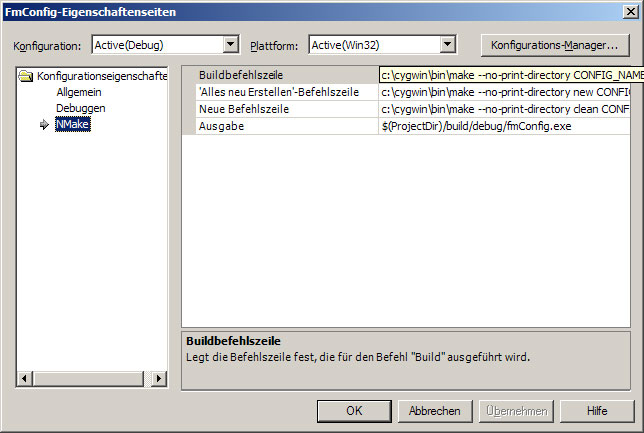
1. Create a Makefile Projekt and use MS NMake or GNU make. This is needed
because the Visual Studio built-in compilation process requires a fixed set of
surce files. However, if the configuration of your project changes, different
source files will be generated. To compile these files you would have to modify
your project manually every time you change your configuration.
2. When using a Makefile, MS Visual Studio will start make and compile the files given in the Makefile. By using wildcards (e.g., *.cpp) you can compile all generated files also when they are changing for different configurations. See the examples to get an idea of how a GNU Makefile might look like.